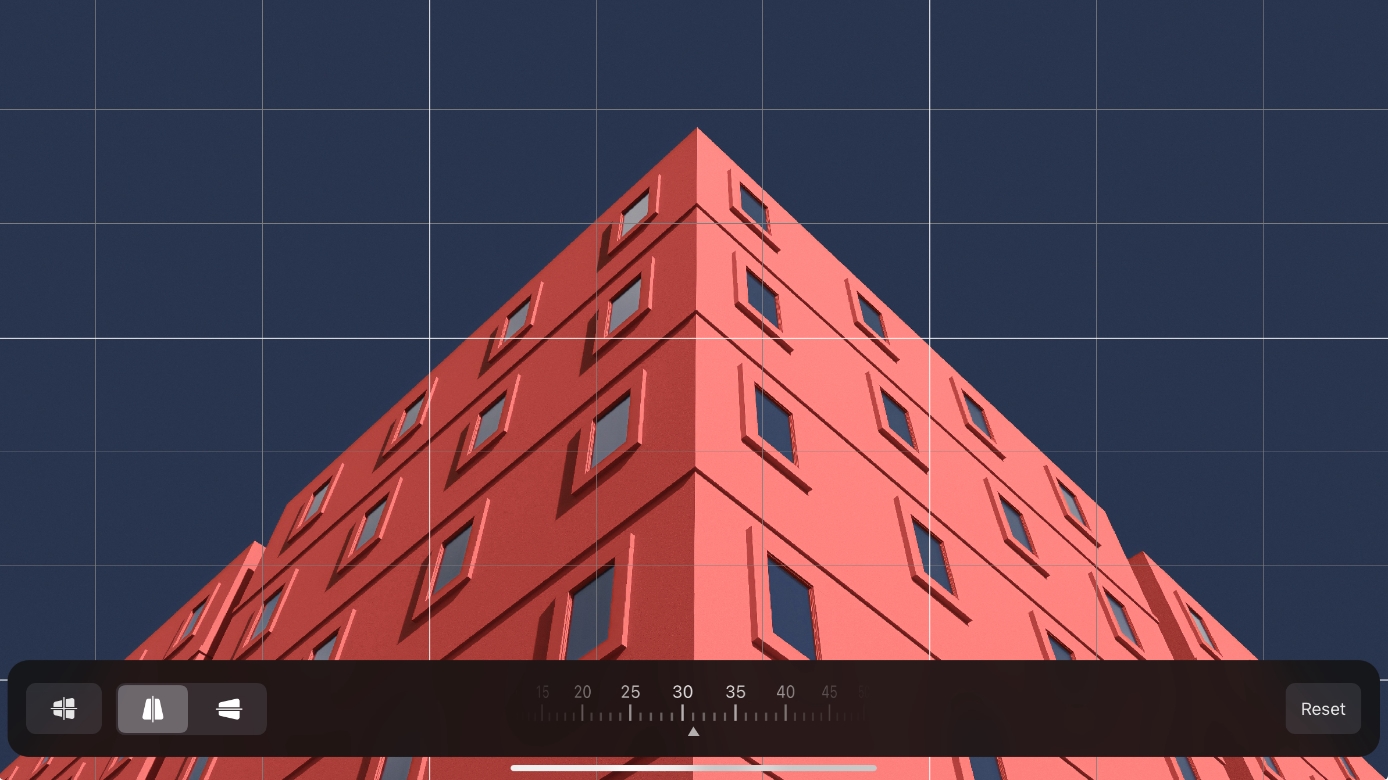
Adjust perspective
You can use Perspective to correct photos with a distorted perspective, taken from extreme angles.
- Tap Crop
 in the toolbar, and in the Crop menu choose Perspective.
 - Choose whether you want to adjust the perspective of a photo vertically or horizontally.
- Adjust the perspective of a photo using the perspective wheel at the bottom of the screen. You can shift the perspective between -175 and 180 degrees.
- Choose the Crop tool by doing any of the following:
- Tap Crop in the toolbar at the top of the screen.
- Press
Con your keyboard. - If a different crop mode is selected, tap the crop mode button and choose Perspective.
- Tap Crop
- Choose whether you want to adjust the perspective of a photo vertically or horizontally.
- Adjust the perspective of a photo using the perspective wheel at the bottom of the screen. You can shift the perspective between -175 and 180 degrees.
- Choose the Crop tool by doing any of the following:
- Click Crop in the toolbar at the top of the screen.
- Choose Tools > Crop from the Tools menu at the top of your screen.
- Press
Con your keyboard.
- Click Crop
- In the Crop tool options, drag the perspective sliders to adjust the photo vertically or horizontally. You can shift the perspective between -175 and 180 degrees.